← Portfolio Case study · 2022
Apple · Global Premium Partners

Desktop and mobile templates for Apple’s premium partners.

Apple moved its premium resellers onto shared Magento and Shopify templates. Apple's own product team defined the Core Buy Flow. I built the Figma component system and the desktop and mobile templates partners shipped that flow from, and worked with the Magento engineers until the built templates matched the designed ones.

Role
UX Principal and design-system lead, on the agency side (WongDoody / Infosys)
When
Feb – Mar 2022. Style Guide + Prototypes v1.5 shipped Mar 24, 2022
Pilot partner
Juice, Apple Premium Partner, Italy
Delivered
Atomic Figma library; desktop and mobile templates for the full buy flow as clickable prototypes; component specs for the Magento team
01

The problem

Every premium partner had built its own store. Carts, shipping, and payment worked differently from one country to the next, and none of them felt like buying from Apple, even though the partners all worked from the same Human Interface Guidelines.

The HIG describes how things should look and behave. It does not give a Magento developer in Milan a component with every state already drawn. That gap was the job.

The system had to do four things at once:

Hold Apple's line on type, spacing, and the purchase path, down to the 8-point grid.
Leave room for the partner: their logo, their accent color, their store locations, their local financing.
Absorb change quickly, because stakeholders in several markets were weighing in on small details.
Be buildable by an engineering team working from the Master CSS, not from the designer.

02

Foundations: two layers of tokens

The decision that made the system work was splitting values into two layers. Apple's layer is fixed and every partner gets it. The partner layer is a short, named list of things a reseller is allowed to change. Anything not on that list is not a partner's decision. Values below are sampled from the shipped Figma file; the role names are how I describe them today.

Locked · Apple layer

Same in every market. A partner cannot override these.

  • color.actionPrimary buttons, links, selected options#0071E3
  • color.text.primaryBody, headings, dark buttons, footer#1D1D1F
  • color.separatorRules, input borders, unselected swatches#D2D2D7
  • color.focusFocus ring on fields and search#5CA7F2
  • color.status.unavailableOut of stock, never used for errors#BF4800
Configurable · Partner layer

The short list a partner sets once. Shown with Juice's values.

  • partner.accentThe rule under the header and nav. Nothing else.#F78D1E
  • LOGOpartner.logoHeader lockup, paired with the Premium Partner badgeasset
  • €partner.localeCurrency, address format, store hours languageit-IT
  • %partner.financingLocal installment provider in the payment stepslot
Spacing · 8-point grid

Every margin, padding, and gap is a multiple of 8. 4 is allowed only inside a component, for icon gaps.

4
8
16
24
32
48
64
03

Components, with every state drawn

An engineer should never have to guess what a component does in a state nobody drew. So each component in the library shipped as a set, with its states side by side, straight from the Figma file below.
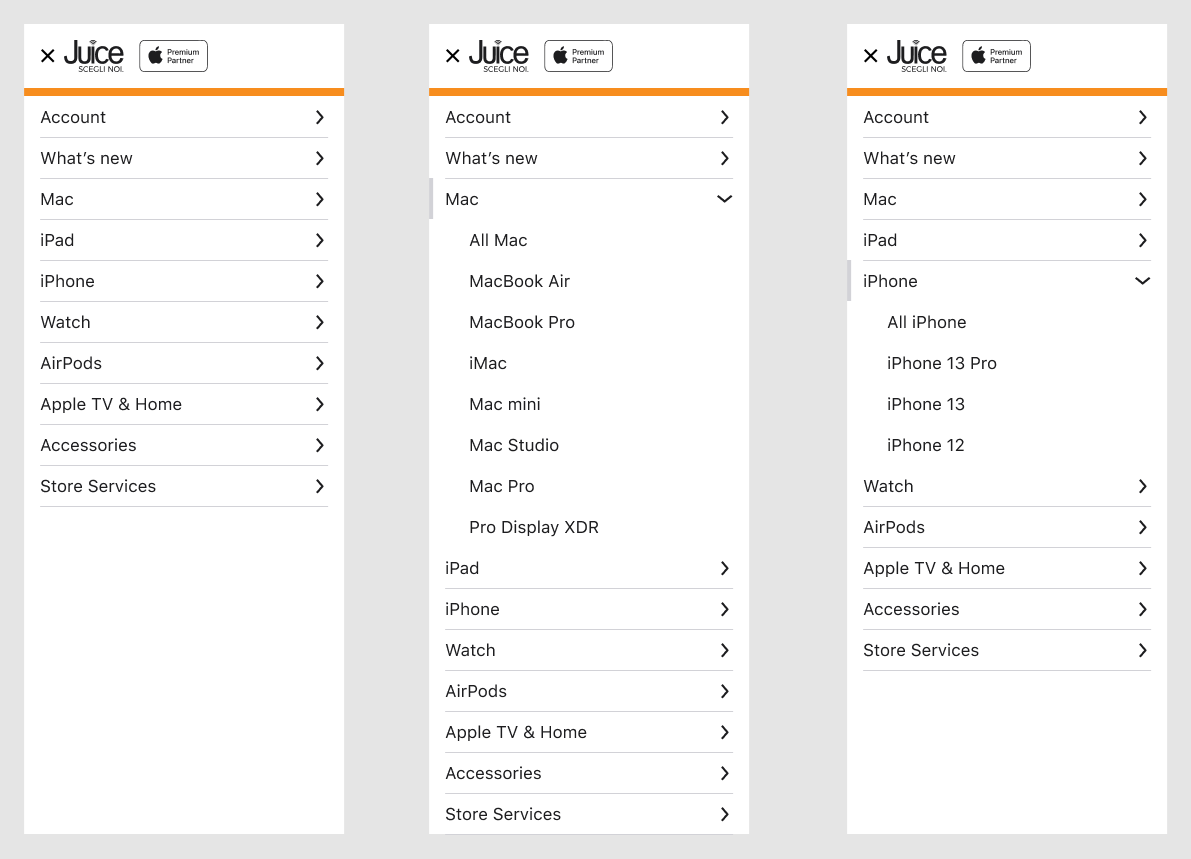
Mobile navigation drawer in three states: collapsed, Mac expanded, iPhone expanded
Collapsed · Expanded · Expanded

Navigation drawer

One level of disclosure only. The expanded row gets a left marker and a down chevron; children indent one step. The partner accent appears once, as the rule under the header.
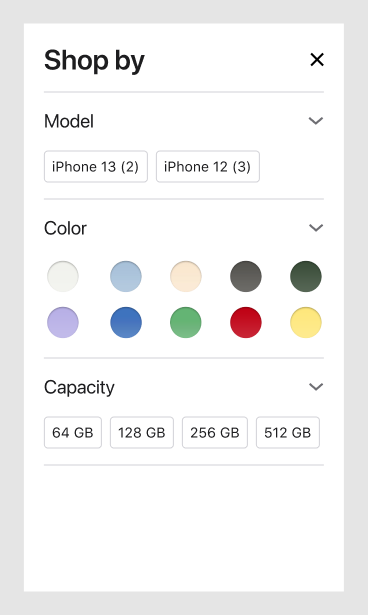
Shop by filter sheet with model, color, and capacity groups
Sheet

Shop-by filter

Model, color, and capacity reuse the same chip and swatch components as the product page, so a selection looks the same in both places.
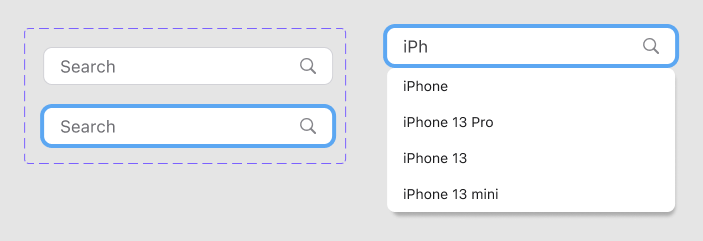
Search field: default, focused, and with typeahead results
Default · Focused · Typeahead

Search field

Focus uses a lighter blue than the action color, so a focused field does not read as a button.
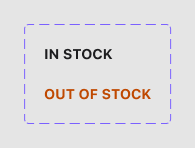
Stock status: In stock and Out of stock
In stock · Out of stock

Availability label

Out of stock gets its own color, distinct from the action blue, and sits where the in-stock label sits so the layout never shifts.
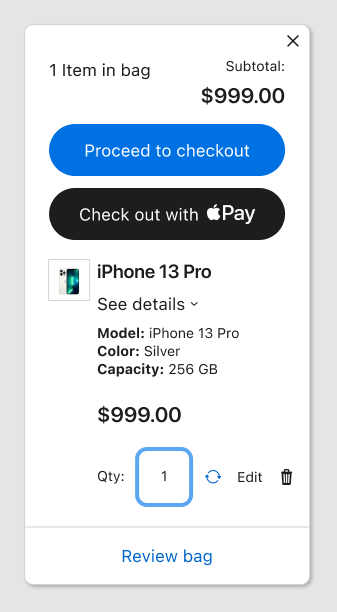
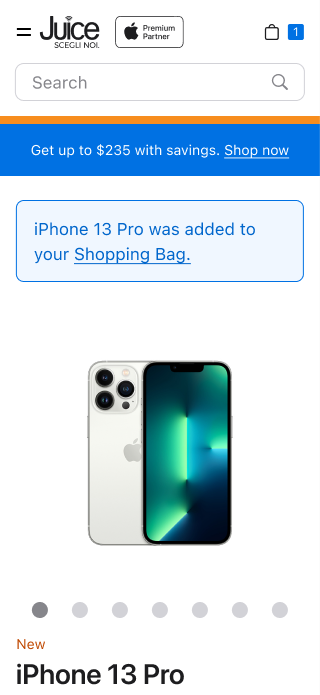
Mini bag sheet with Proceed to checkout and Apple Pay buttons
Sheet

Mini-bag

Confirms the add without leaving the product page. Primary is checkout; Apple Pay sits directly under it at equal weight.
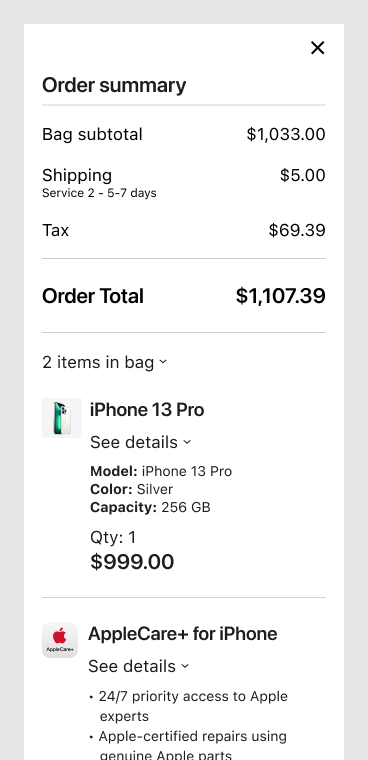
Order summary sheet with line items, AppleCare, ship-to and shipping method
Sheet

Order summary

Opened from the running total in the checkout header, so the price is never more than one tap away.
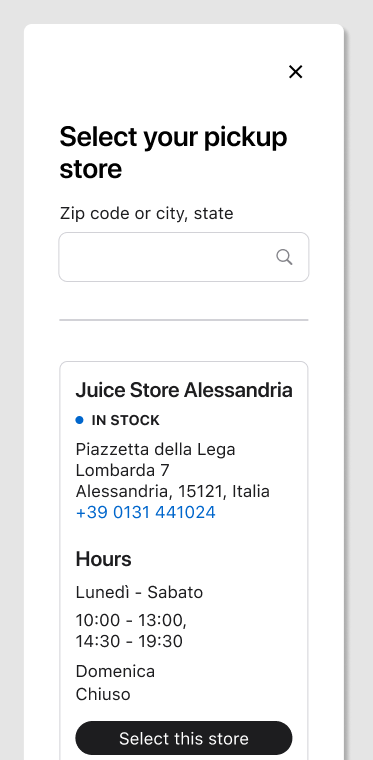
Select your pickup store list with stock, address, and hours
List · partner data

Pickup store picker

Fixed card structure fed by partner data: stock status, address, phone, local-language hours.
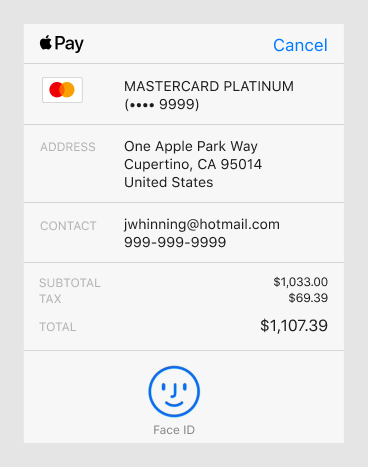
Apple Pay payment sheet
System sheet

Apple Pay

Drawn to match the native sheet so stakeholders could review the whole purchase, including the part the platform owns, in one prototype.
04

Desktop templates

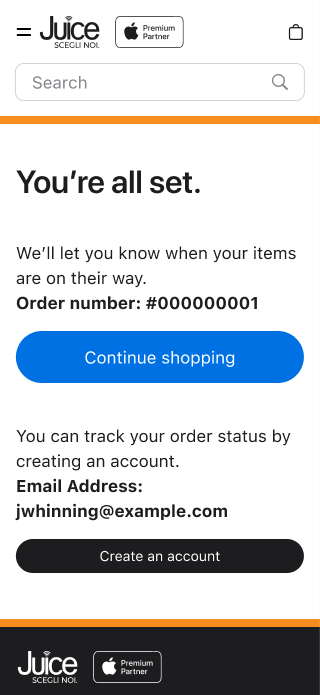
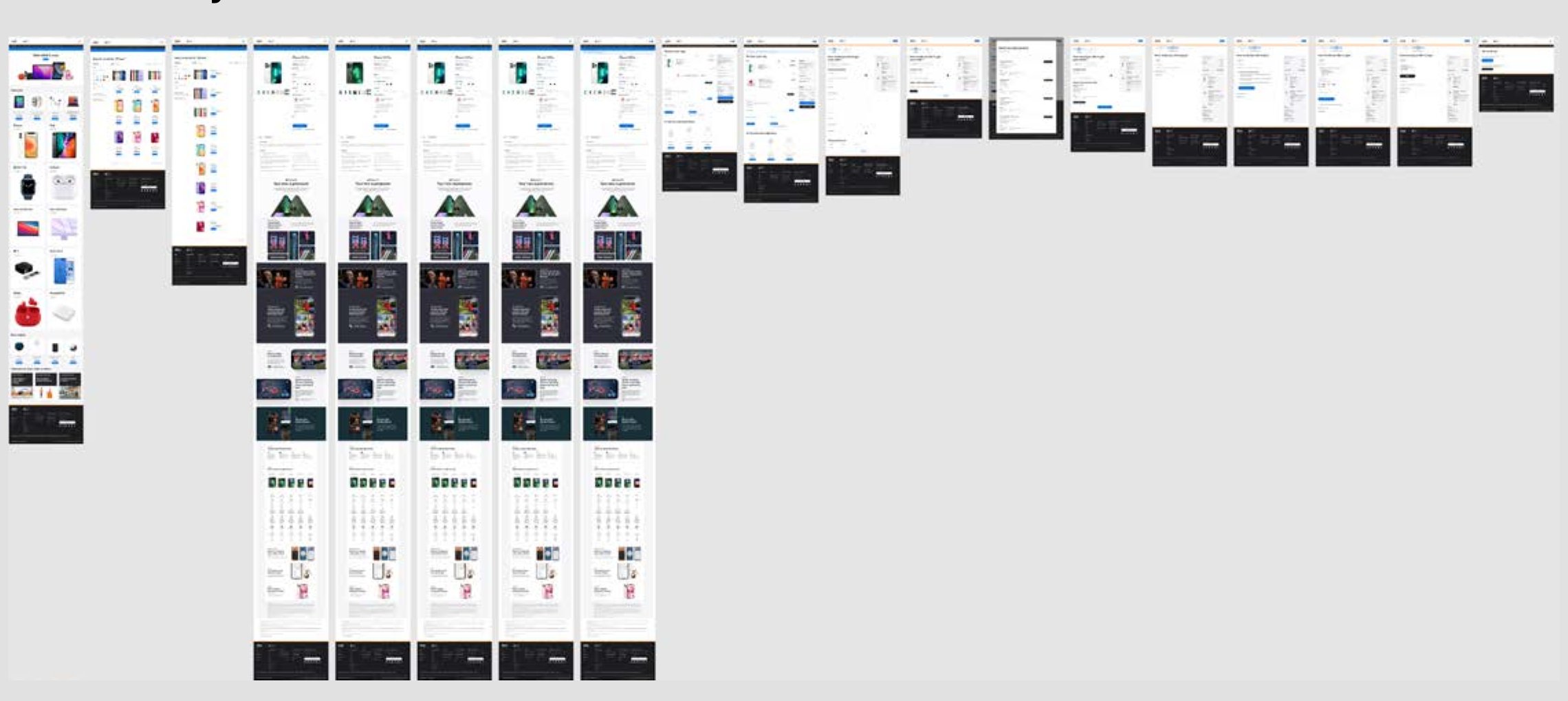
Every step of the buy flow exists as a desktop template and a mobile template built from the same components. The desktop set below runs from the home page through search, the product page in each selection state, the bag, delivery, payment, and confirmation.

Overview of the desktop core buy flow templates, 18 frames
Desktop core buy flow, all frames, from the original case study.
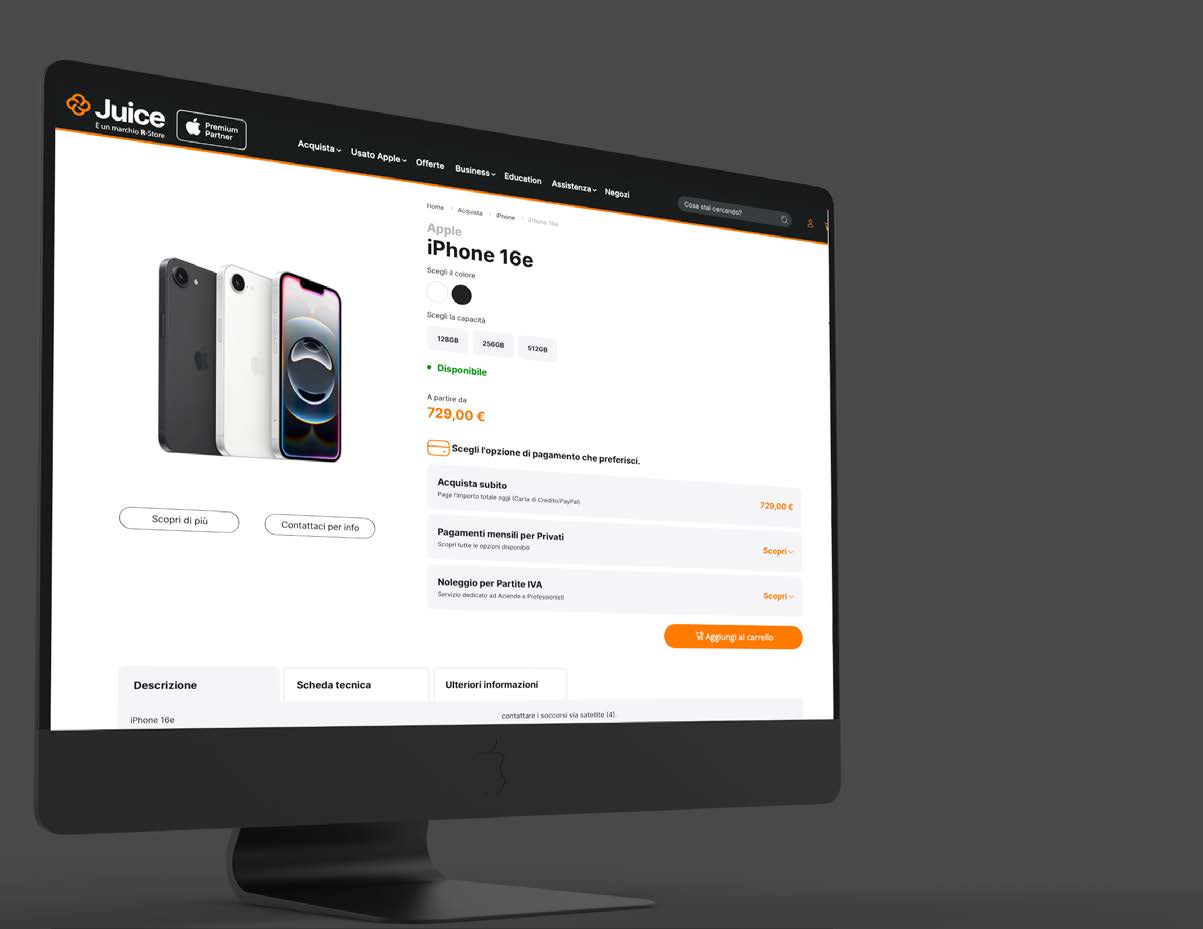
Juice partner site product page on desktop, March 2025
The Juice product page on desktop, March 2025: partner accent, Premium Partner lockup, color and capacity selectors, and availability where the templates put them.
05

Mobile templates: the core buy flow

Seventeen screens from the home page to order confirmation, built from the library above and linked as one clickable prototype. Stakeholders across markets reviewed the same prototype, so feedback on small details landed on the actual behavior instead of a description of it.

Scroll →

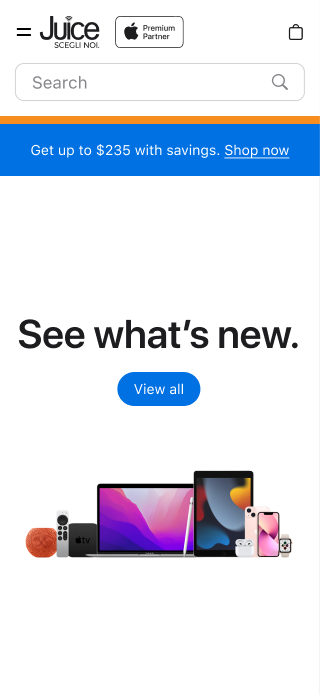
Home
01Home
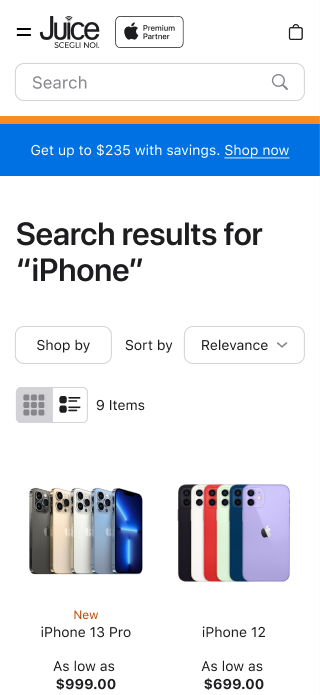
Search results, grid
02Search results, grid
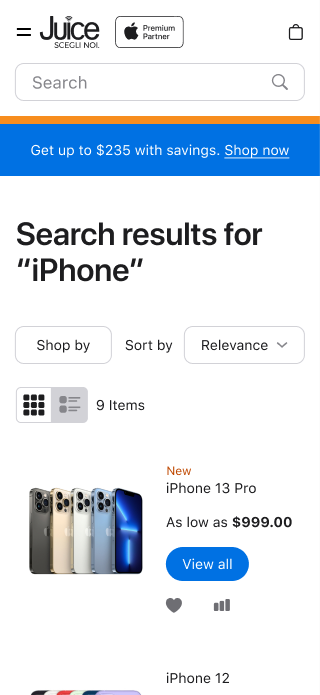
Search results, list
03Search results, list
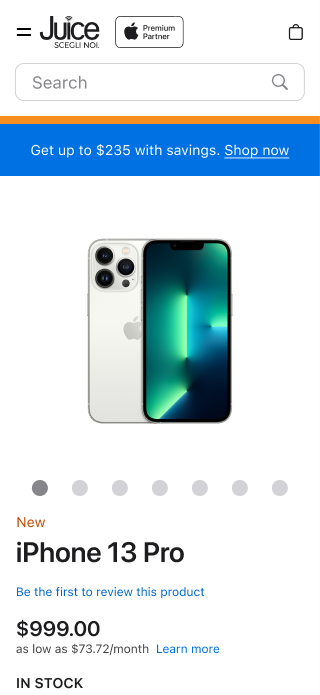
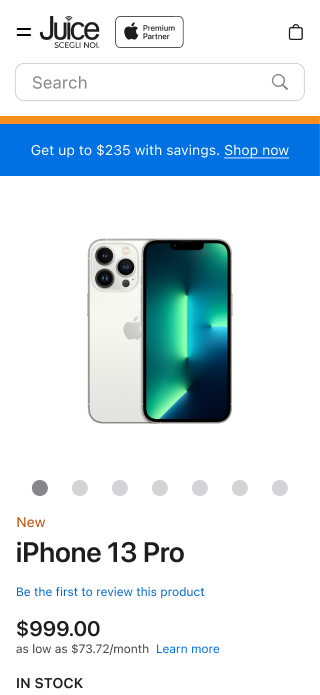
Product page, default
04Product page
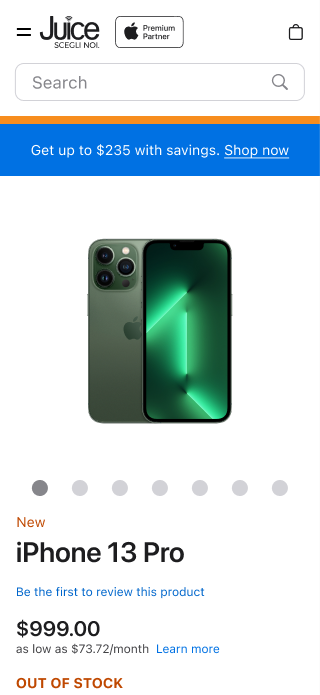
Color selected, out of stock
05Color selected, out of stock
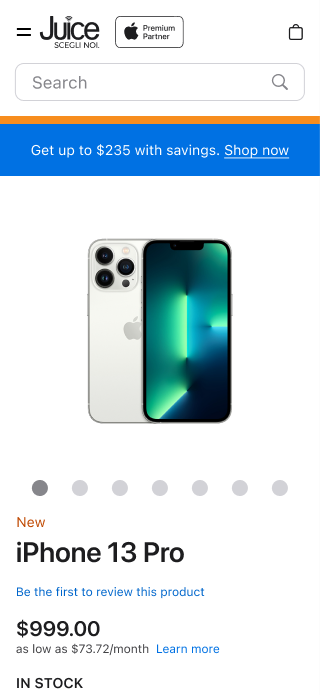
Model selected
06Model selected
Capacity selected
07Capacity selected
Added to bag
08Added to bag
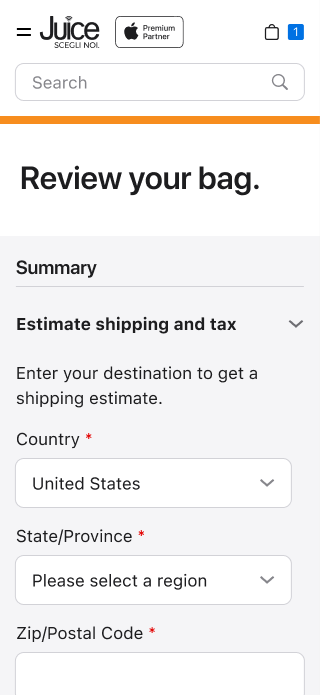
Review your bag
09Review bag
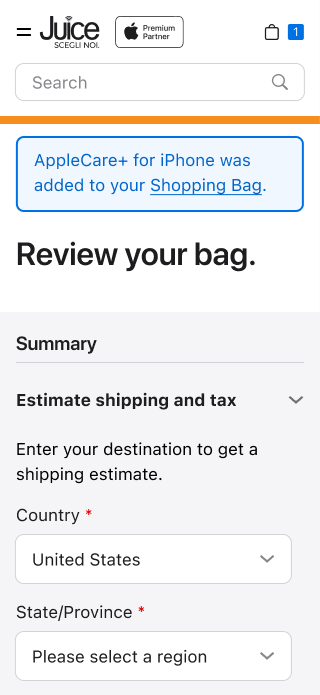
Review bag with AppleCare added
10AppleCare added
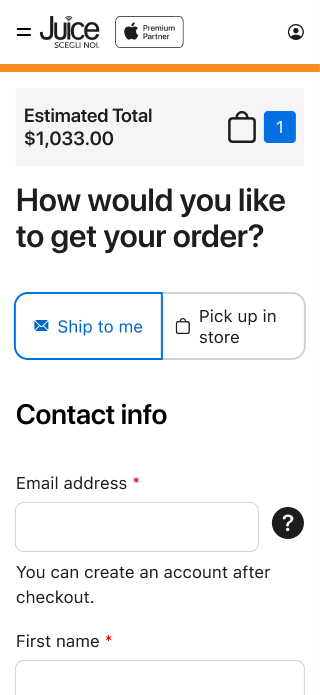
Delivery: ship to me
11Ship to me
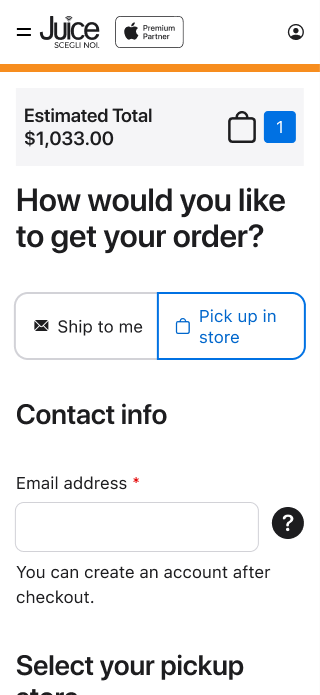
Delivery: pick up in store
12Pick up in store
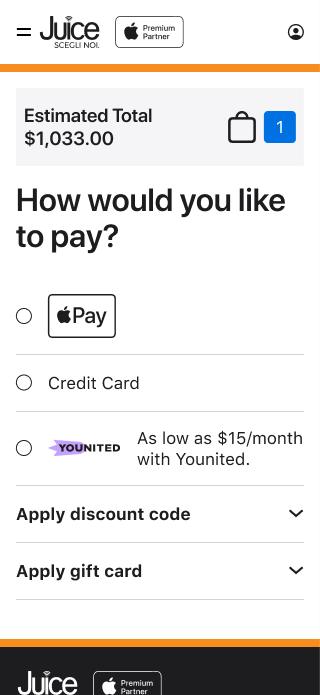
Payment options
13Payment options
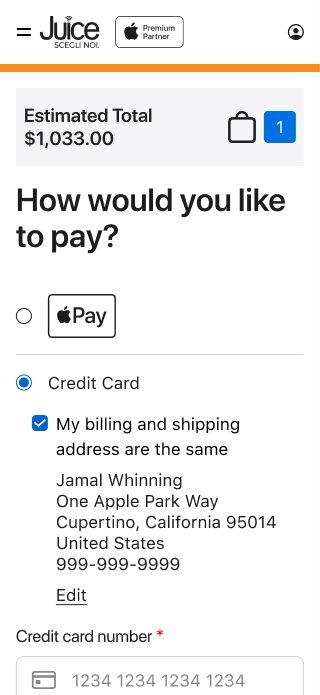
Payment: credit card
14Credit card
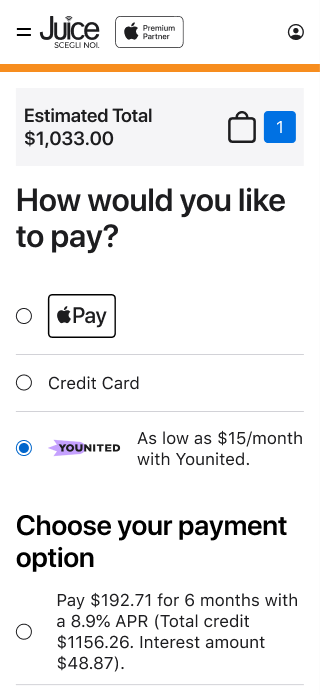
Payment: local financing
15Partner financing
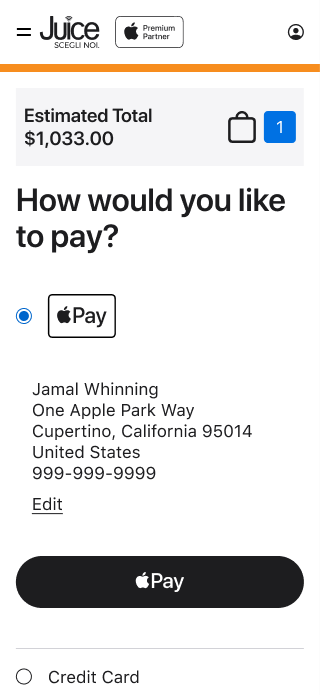
Payment: Apple Pay selected
16Apple Pay selected
Order confirmation
17Confirmation
06

One template, four states

The product page carries most of the weight in a buy flow. It is one template whose state comes from the shopper's selection of color, model, and capacity, plus availability for that combination. It needed to be identical across partners, so it was specced most tightly.

Default
Default
Color selected, out of stock
Model selected
Model selected
Capacity selected
Capacity selected
07

Handoff and parity with code

The Magento team built from a Master CSS, so the Figma library was organized to map onto it: the same names for the same things, and one component per template part. Each component came with its specs, its states, and its spacing called out on the grid.

I led the Magento team through implementing the system and worked directly with the engineers to keep built templates at parity with the designed ones.

Rules the system follows

  • The partner accent appears once per screen, as the header rule. It is never a button or link color.
  • One primary action per view. Apple Pay may sit beside it at equal weight; nothing else does.
  • Out of stock is a status, not a dead end. It uses its own color and the shopper can still change color, model, or capacity.
  • The price is always one tap away during checkout, through the running total in the header.
08

How I would build it today

In 2022 the token split lived in naming conventions and a style guide. Today I put it in Figma variables with a mode per partner, export the same tokens to code, and add a precommit check that blocks raw hex and one-off spacing values. That is how I run the design systems for my current products, and it makes the partner layer something the build enforces instead of something reviewers have to catch. It also means usage rules can be written once and read by designers, engineers, and AI coding agents from the same file.