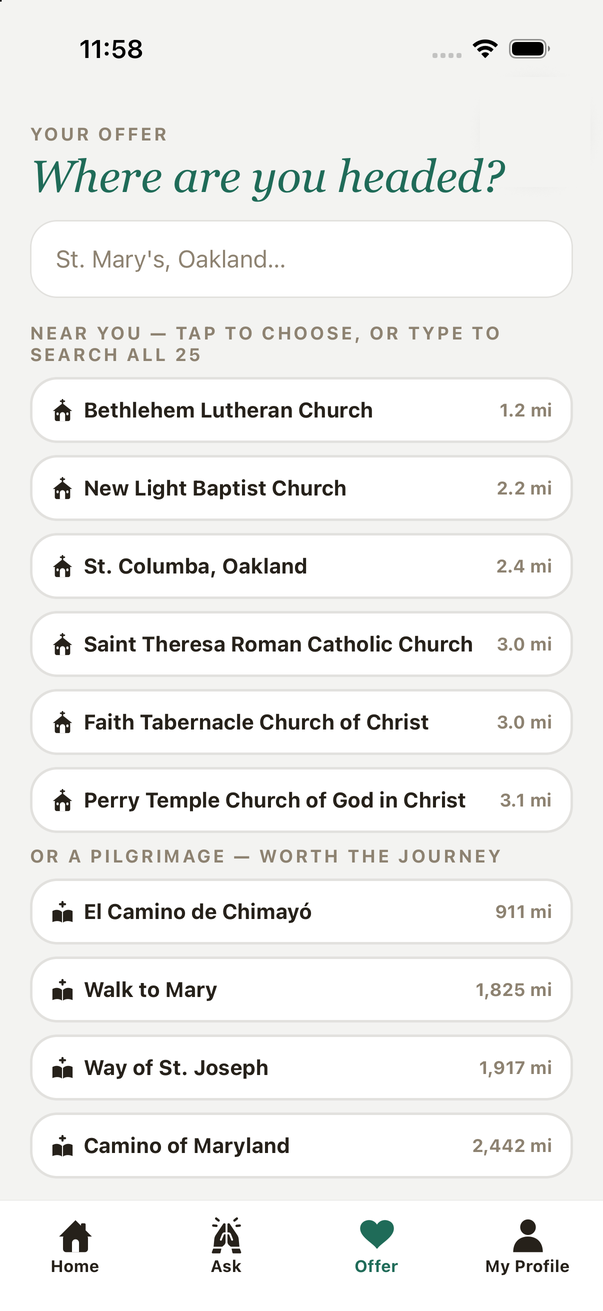
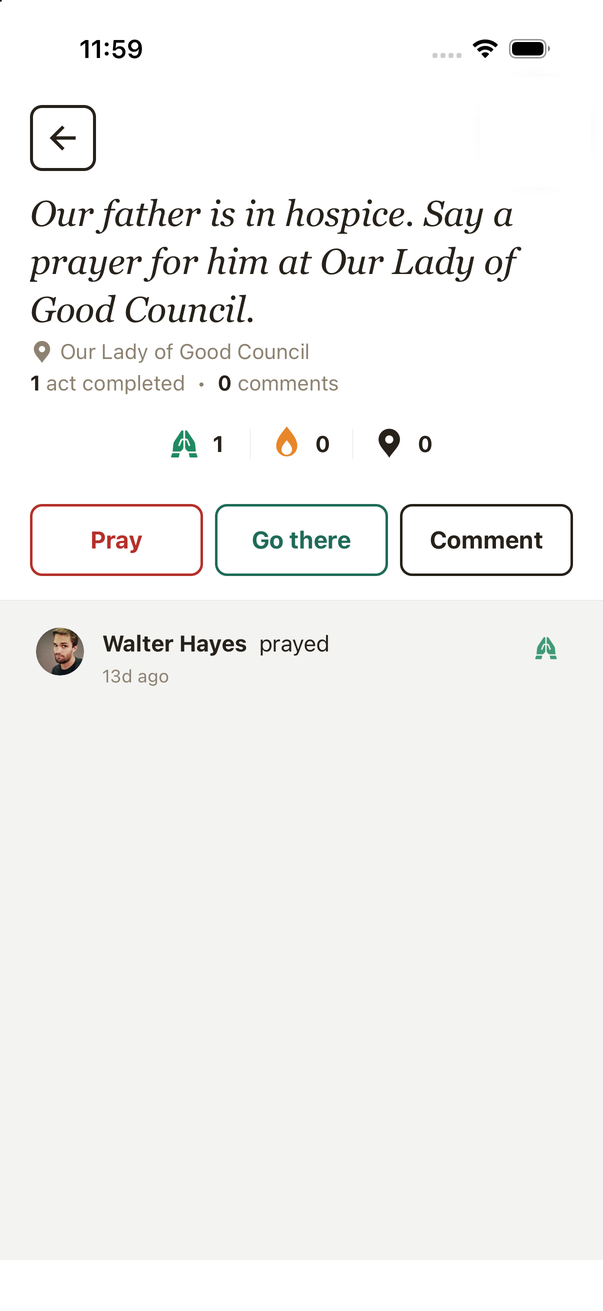
Acts of Faith is a community app for asking for prayer and helping people nearby. I was the only designer and the only builder. I designed it in Figma, built it in React Native for iOS and Android, kept every color, space, and tappable element in one token file, and shipped it to testers through App Store Connect and TestFlight.
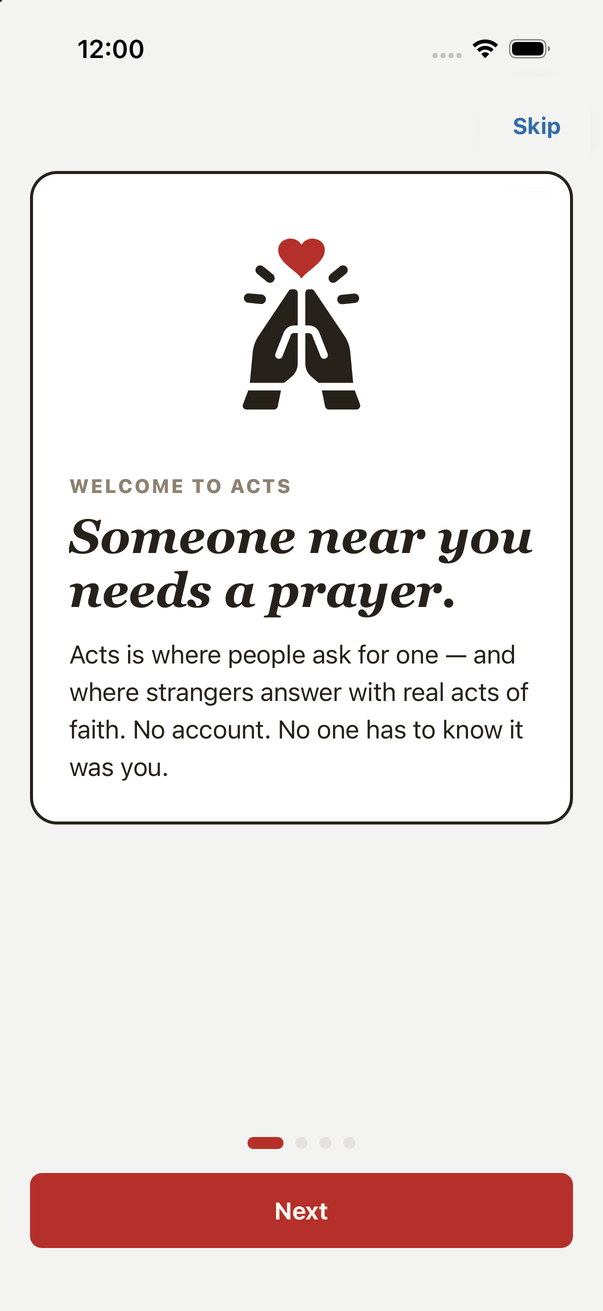
The client wanted to compare directions on his own phone, not in a meeting. So the shipped build carries three themes, and a switch at the bottom of My Profile flips between them. Every screen below is the same code and the same layout. Only the token values change: the primary color, the corner radius, the icon set, and how the two doors are filled.
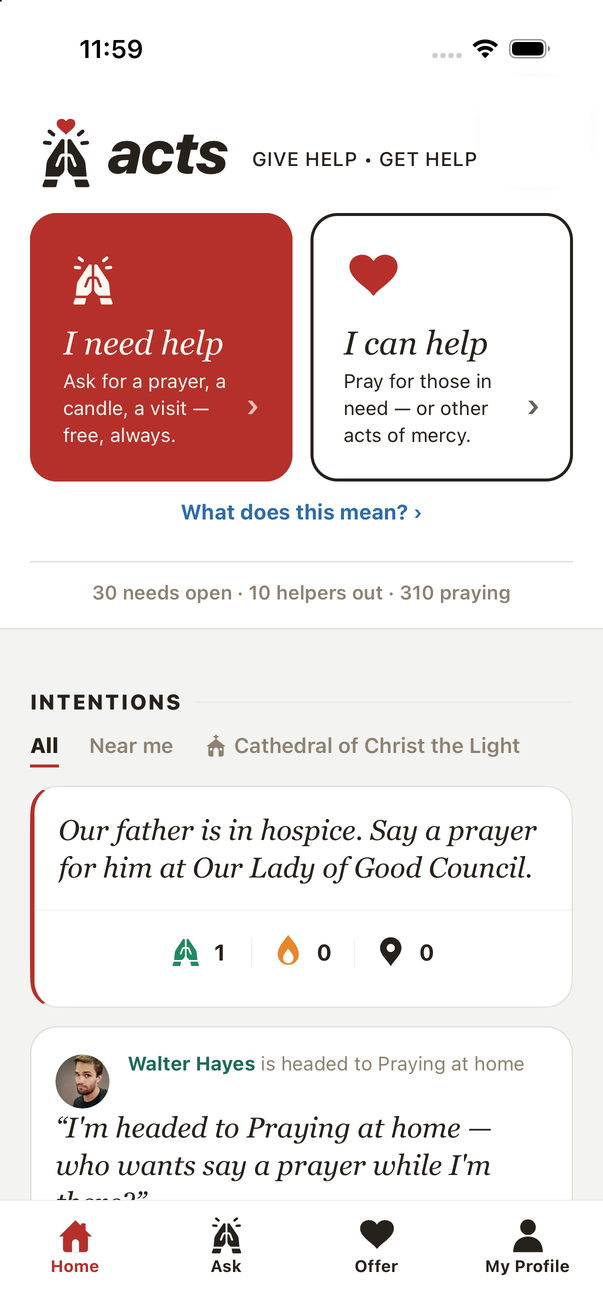
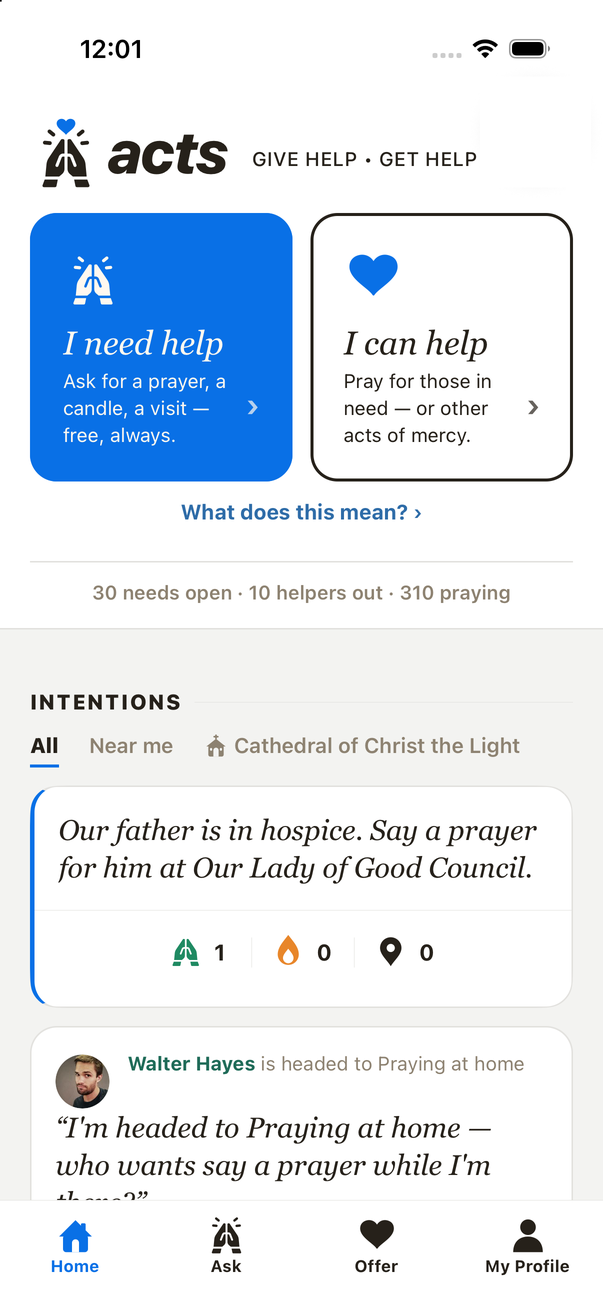
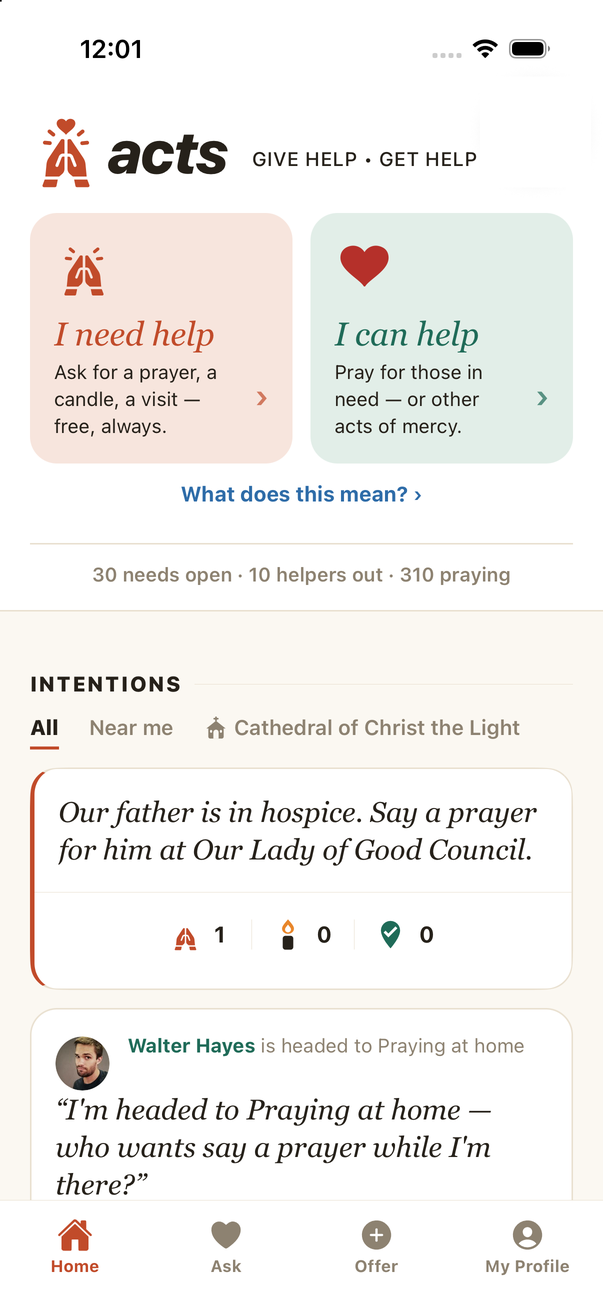
Screens captured from the current build in the iOS Simulator, October 2026. Names and portraits are demo personas.
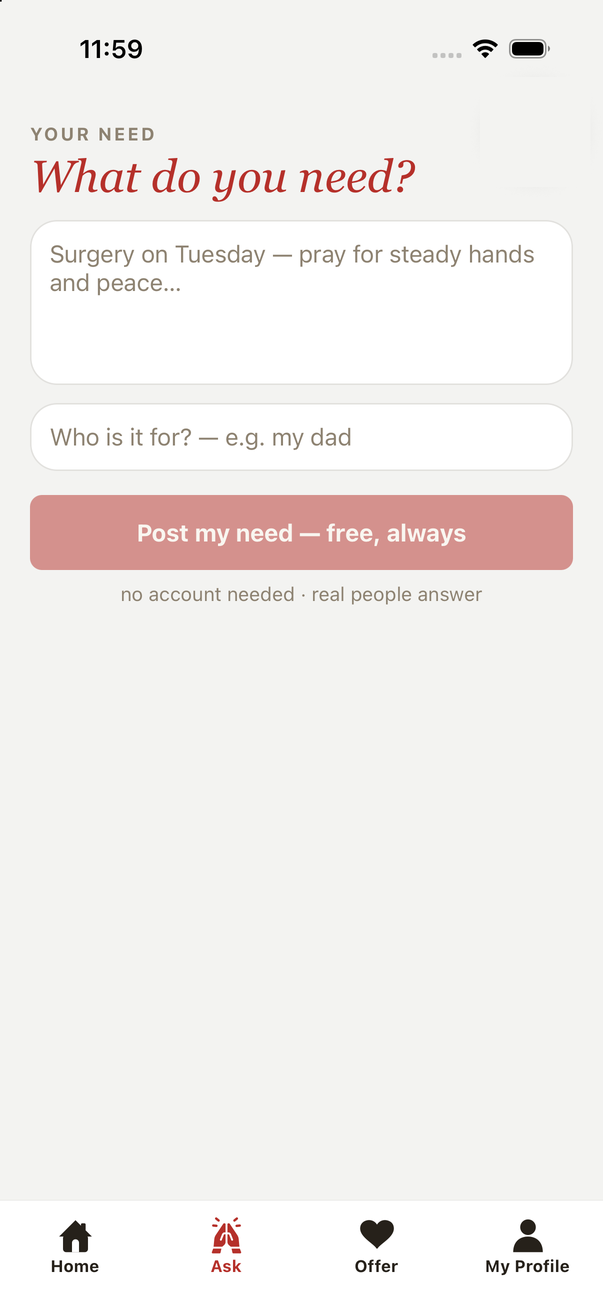
Each line below is a real file or rule in the Acts repo.
| Design systems requirement | In Acts |
|---|---|
| Foundational tokens with semantic names and consistent scales | Color named by meaning (need, help, parish, flame, ink, line), an 8-pt spacing scale (SP.xs to SP.xl), and radius tokens, in expo/lib/theme.ts. The web app carries the same names in CSS under a theme attribute. |
| Components with variants, states, and behavior across iOS and Android | Button, link, and tab tokens (BTN, LINK_TEXT, TAB_UNDERLINE) with a written rule for four levels of tappable. Platform differences live in the token, for example Platform.select for the serif. Android checked in three-button navigation. |
| Library kept in sync with code | Figma is the source of truth (DESIGN.md §0: when a screen differs from Figma, match Figma), mapped to tokens per theme and never to raw hex. |
| Guidelines designers, engineers, and AI agents can follow | CLAUDE.md and DESIGN.md hold the rules the coding agent reads before it touches UI. A precommit guard (scripts/guard.mjs) blocks new raw hex and arbitrary type on the web. |
| Auditing the system in use | A grid audit of the native code found 176 off-grid values across 18 files and fixed them in one pass. |
| AI tools for design and prototyping | Built in Claude Code against the token file, verified screen by screen in the simulator. |
One TypeScript file holds the native system. Theme differences are expressed inside the tokens, so no screen ever asks which theme it is in.
expo/lib/theme.ts · excerpt
/** THE design system, native dialect: the same tokens the web carries. */ export const T = { ink: "#26211a", line: BRUT ? "#e2e1de" : "#e9e0d0", need: APPLE ? "#0970e6" : BRUT ? "#b5302a" : "#c14b2a", // the ask side help: "#1f6b58", // the give side parish: "#2e6ca8", // community, links elsewhere flame: "#e8862a", // the candle's flame, and only that radiusBtn: APPLE ? 12 : BRUT ? 8 : 999, }; /** SPACING: the 8-pt grid. Use these, never ad-hoc numbers. */ export const SP = { xs: 4, sm: 8, stack: 12, md: 16, screen: 20, lg: 24, xl: 32 }; /** BUTTONS: every button spreads these (HIG: 44-pt targets or larger). */ export const BTN = { minHeight: 50, borderRadius: T.radiusBtn, paddingVertical: 14, paddingHorizontal: 20 }; export const serif = { fontFamily: Platform.select({ ios: "Georgia", android: "serif" }), fontStyle: "italic", };
The two sides of the app never share a color. Asking is the need role, giving is the help role, and the request page shows all three actions as secondary buttons in their own roles, so the color tells you which side of the exchange you are on before you read the label.


A design review found tappable and decorative elements drifting into each other. The clearest case: a section heading's decorative rule was styled exactly like a selected tab. The fix was a written rule with four levels, each with one look, kept in the token file where both I and the coding agent read it before building a screen.
Filled button. Need color on the ask side, help color on the give side. One per screen.
Outlined button in its role color. Never filled.
Quiet text in the parish blue with a chevron. Never a box.
Ink text with a 2-pt underline in the need color when selected. That underline is the only colored line in the app; decoration uses line.
| Behavior | iOS | Android |
|---|---|---|
| Display serif | Georgia italic | The platform serif, via Platform.select |
| Sticky footers and pinned headers | Clear the home indicator | Clear the three-button bar; moved onto safe-area insets after testing on a Pixel emulator |
| Back | Back button and edge swipe | System Back pops routes correctly |
| Tap targets | 44 pt or larger everywhere; buttons are 50 pt tall | |
| Distribution | App Store Connect, external TestFlight group | Installable APK on the same over-the-air channel as iPhone. One invite link sends each phone to the right install. |
AI-generated code drifts toward one-off values. When the app started to feel sloppy, I audited the native code against the grid and fixed everything in one pass, then turned on lint for the native project.
Still open, and the next audit: on native, font sizes are still set per screen. The named type scale (34 · 28 · 20 · 17 · 15 · 13) is enforced on the web; bringing type roles into theme.ts is next.
One of the first TestFlight testers opened the app and said they were not sure what to do with it. The home screen assumed you had heard the pitch.
That day I designed and shipped a four-screen welcome on first launch (what Acts is, what you can ask for, what you can do, where it adds up), built entirely from existing components, and pushed it to every tester as an over-the-air update. It is also on My Profile as "How Acts works," an L3 link.